
✨ OpenAI and ChatGPT: The Smart User’s Guide to Features, Pricing, API, Alternatives, and More
If you’ve been searching questions like “is OpenAI ChatGPT,” “how to cancel ChatGPT subscription on website,” “can ChatGPT watch videos,” or “ChatGPT Plus vs Pro,” you’re not alone. These are exactly the kinds of practical questions real users ask before they commit time, money, or workflow changes.
So here’s the simple truth: OpenAI is the company, and ChatGPT is one of its products. Think of OpenAI as the builder and ChatGPT as the tool millions of people use for writing, brainstorming, coding, summarizing, and learning. OpenAI also offers the API for developers, pricing plans for different types of users, and large-scale infrastructure projects like its Norway initiative. OpenAI Help Center OpenAI
🔍 Quick answers about ChatGPT and OpenAI
Is OpenAI ChatGPT?
No. OpenAI is the organization. ChatGPT is the AI assistant product created by OpenAI. OpenAI Help Center
Is ChatGPT free?
Yes. OpenAI offers a free version of ChatGPT, alongside paid plans such as Go, Plus, Pro, Business, and Enterprise. ChatGPT Pricing
Can ChatGPT watch videos?
Yes, but with limits. In supported voice mode experiences on mobile for subscribers, ChatGPT can process shared live video, photos, and screen sharing. OpenAI Help Center
How do you cancel ChatGPT subscription on website?
Go to ChatGPT, open Settings, then Account, choose Manage, and click Cancel Subscription. To avoid the next charge, OpenAI says to cancel at least 24 hours before billing. OpenAI Help Center
How do you check if ChatGPT is down?
Use the official OpenAI status page. It tracks service health for ChatGPT, APIs, Sora, Codex, and more. OpenAI Status
🤖 Is OpenAI the same as ChatGPT?
Not exactly.
This is one of the biggest misunderstandings online. When people say “OpenAI ChatGPT,” they usually mean the ChatGPT app or website. But OpenAI is the broader AI company, while ChatGPT is the conversational product people use day to day. OpenAI also runs the developer platform, models, research, and infrastructure behind these services. OpenAI Help Center OpenAI API Docs
That distinction matters. If you’re chatting on the website, you’re using ChatGPT. If you’re building your own chatbot, workflow tool, or AI-powered app, you’re probably using the OpenAI API instead.
💳 How to cancel ChatGPT subscription on the website
If you subscribed through the website, canceling is straightforward.
Log in to ChatGPT, click your profile, open Settings, go to Account, select Manage, and then choose Cancel Subscription. OpenAI says your cancellation takes effect after your next billing date, which means you can keep using the paid features until that cycle ends. To avoid another renewal, cancel at least 24 hours before the billing date. OpenAI Help Center
One important detail: if you subscribed through Apple or Google Play, you need to cancel through those stores instead of the ChatGPT website. That catches a lot of people off guard.
🎥 Can ChatGPT watch videos?
Here’s the honest answer: ChatGPT can work with video in certain supported experiences, but it does not behave like a human casually “watching YouTube” the way people imagine.
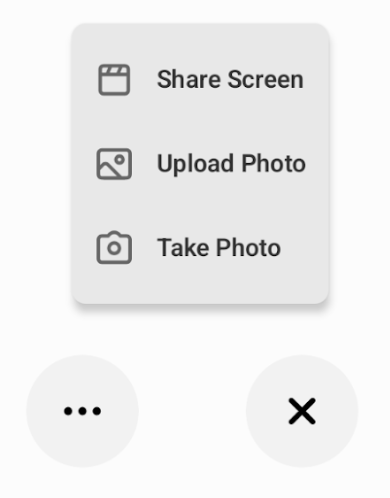
According to OpenAI’s Voice Mode FAQ, subscribers on iOS and Android can share live video, photos, and screen sharing during voice chats. That means ChatGPT can “see” what you point your camera at or what you share from your screen, then respond in context. However, OpenAI also notes that these features have daily limits and per-conversation limits, and they are not universally available in every plan or environment. OpenAI Help Center
Visual reference for ChatGPT video sharing
Source: OpenAI Help Center

Source: OpenAI Help Center
🧠 How to use ChatGPT effectively
The people who get the best results from ChatGPT usually don’t ask vague questions. They give context.
Instead of saying, “Write me something about marketing,” they say, “Write a friendly 300-word email for a skincare brand launching a vitamin C serum to first-time buyers.” That one shift changes everything.
A practical formula is simple: role + goal + context + format + constraints.
For example:
“Act as an SEO writer. Draft a blog intro about AI tools for small businesses. Keep it under 150 words, conversational, and optimized for the phrase ‘best AI tools for startups.’”
You’ll also get better output if you ask ChatGPT to revise in rounds. First ask for a draft. Then ask it to tighten the tone, add examples, simplify the language, or optimize for search intent. In other words, treat it less like a magic button and more like a very fast collaborator.
⚖️ ChatGPT Plus vs Pro
For most users, ChatGPT Plus is the practical upgrade. It’s aimed at lighter but serious use. OpenAI’s help documentation describes Plus as a good fit for trying advanced features like Codex and Deep Research on selected projects through the week. OpenAI Help Center
ChatGPT Pro is for power users. OpenAI says Pro is designed for people doing high-stakes, complex work and includes significantly higher usage allowances, plus access to advanced tools and Pro models. The help page currently describes Plus at $20, Pro $100 for real weekly project work, and Pro $200 for heavy, continuous use across demanding workflows. OpenAI Help Center
So if you mostly write, brainstorm, study, and do occasional research, Plus is likely enough. If you rely on AI every day for coding, deep research, parallel tasks, and high-volume output, Pro makes more sense.
🌐 Best ChatGPT alternatives
If you’re looking for a ChatGPT alternative, the best choice depends on your workflow, not hype.
Many users compare ChatGPT with Claude, Gemini, Microsoft Copilot, and Perplexity. Claude is often favored for thoughtful long-form drafting, Gemini is attractive for people deep in Google’s ecosystem, Copilot fits naturally into Microsoft-centered work, and Perplexity is popular for search-style answers with a research feel.
The smarter question is not “Which AI is best?” It’s “Which AI is best for my writing, coding, research, or business workflow?”
🔌 What is the OpenAI API?
The ChatGPT API idea usually points to the broader OpenAI API, which lets developers connect OpenAI models to websites, apps, automations, and products.
OpenAI’s quickstart says the basic setup is simple: create an API key, install the SDK, and make your first API call. The platform supports text generation, image understanding, file analysis, tools, streaming, and agents. In plain English, this is what developers use when they want to build their own AI assistant instead of only using the ChatGPT interface. OpenAI API Docs
That’s also why a ChatGPT subscription and API billing are different. Paying for ChatGPT does not automatically mean you’re paying for API usage.
🚨 Is ChatGPT down?
If ChatGPT feels slow, broken, or won’t load, don’t guess. Check the official status page first.
OpenAI’s status page reports system health across ChatGPT, APIs, Codex, Sora, and related components. It’s the fastest way to verify whether the issue is on OpenAI’s side or just a local browser, login, or network problem. OpenAI Status
🆓 Is ChatGPT free?
Yes. OpenAI officially states that the free version of ChatGPT is available to everyone. Paid options exist for people who want higher limits, more advanced tools, or business features, but many everyday tasks can still be handled on the free plan. ChatGPT Pricing
That makes ChatGPT free a strong entry point for students, freelancers, creators, and curious first-time users who want to test an AI chatbot before upgrading.
🇳🇴 What is the OpenAI–Nscale Norway deal?
One of the most interesting recent OpenAI developments is Stargate Norway.
OpenAI says this is its first AI data center initiative in Europe under the OpenAI for Countries program. The partners include Nscale and Aker, and the project is planned for 230MW of capacity, with ambitions to expand by another 290MW. OpenAI also says the site aims to deliver 100,000 NVIDIA GPUs by the end of 2026, powered by renewable energy in Northern Norway. OpenAI
Why does this matter? Because AI is no longer just about chatbots. It’s about compute, infrastructure, sovereignty, energy, and long-term access. The Norway deal signals that OpenAI is thinking far beyond the app screen.
✅ Final takeaway on OpenAI and ChatGPT
If you remember only one thing, remember this: OpenAI is the company, ChatGPT is the product, and the right plan or workflow depends on how deeply you use AI.
Use ChatGPT Free if you’re starting out. Upgrade to Plus if you want a smoother, more capable daily experience. Consider Pro if AI is central to your work. Use the API if you want to build. Check the status page when things break. And if you’re watching OpenAI as a company, pay attention not just to features, but also to infrastructure moves like the Nscale Norway deal